High-Current Generator Essential Accessories Explained
The high-current generator is essential equipment in the power and electrical industry for places requiring high currents during commissioning. It is used in power plants, substations, electrical manufacturing plants, and research institutes, among others. It operates in short-time or intermittent duty and features compact size, light weight, and easy maintenance.
The high-current generator features high-precision sensors and a high-performance 14-bit AD acquisition chip. The human-machine dialogue uses a full keyboard operation mode, with intelligent control throughout the entire process. You can choose automatic current rise test, manual current rise test, and impact quick-break test, with flexible and simple operation. It displays the output current and time results in real time, making the display intuitive and clear. It has comprehensive overcurrent protection, allowing arbitrary setting of target output current value, current upper limit, and current withstand time. It also has a return-to-zero detection function; the test can only be conducted after confirming return to zero, ensuring safety and reliability.
High-Current Generator If the output current exceeds the set upper limit, the motor automatically returns to zero and an audible and visual alarm is triggered. The sophisticated software and hardware anti-interference design incorporates multiple anti-interference measures to adapt to harsh electromagnetic environments. Automatic error diagnosis makes it easy to identify and resolve issues. Optional remote communication, door interlock alarm light and bell, and open-circuit voltage calibration interface are available.
Accessories of the high-current generator:
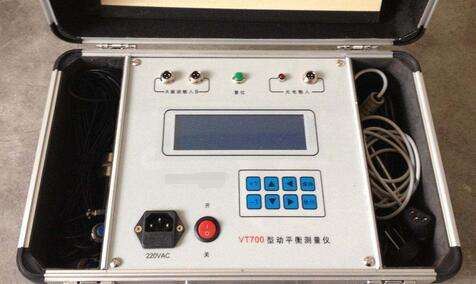
1. Printer: The printer is a thermal printer. After the test is completed, press the "Print" button on the keyboard to print the test results.
2. RS232: RS232 is a serial communication interface for connecting to a computer. It is an optional interface for users; this device is not configured with this interface.
3. LCD Contrast: Because the LCD display may vary slightly with temperature and light, you can adjust the backlight to a suitable brightness via the LCD contrast adjustment.
4. LCD: Dot-matrix white backlight LCD, which is very clear in both strong light and dark environments.
5. Indicator Lights: Composed of three lights: start light, zero position light, and alarm light. The start and alarm lights are high-brightness multicolor lights.
6. Operation Prompts: There are some brief prompt statements and installation wiring diagrams.
7. Keyboard: Composed of 8 keys: up, down, left, right, set, print, confirm, and cancel. It is the terminal for user-device interaction.
8. Power Switch: Working power supply, with power indicator light.